Tech
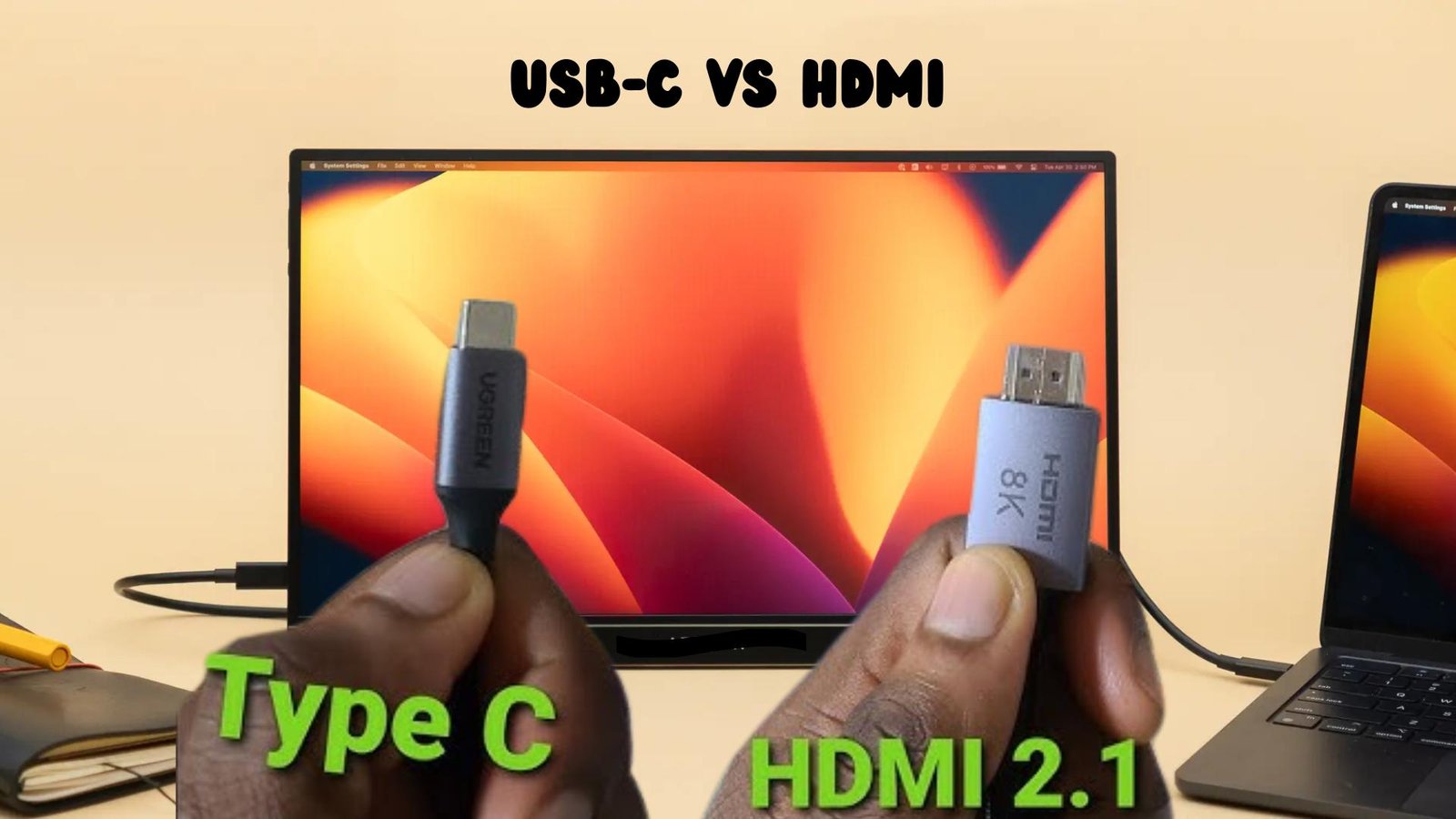
USB-C vs HDMI: Which Is Better for Portable Monitors?
Published
1 month agoon
By
Alexander
Portable computer monitors are everywhere these days and can be a fantastic productivity upgrade for any professional, gamer, or digital nomad. If you are looking to expand your laptop screen, set up a lightweight gaming monitor, or take your work on the road, however, there are a few more considerations involved in getting the right performance.
Two of the most common connection standards for portable monitors today are USB-C and HDMI. As you compare your options, people who buy portable computer monitors often have these questions:
- Is USB-C better than HDMI?
- Does HDMI still matter for portable monitors?
The answer depends on how you will be using your portable display, what devices you are connecting to, and your specific needs.
In this article, we will be exploring USB-C vs HDMI in-depth, comparing their performance and capabilities, as well as real-world use cases, including with specific portable devices like a 4k portable monitor or a lightweight portable external monitor.
Exploring USB-C for Portable Monitors
USB-C is a relatively new computer port that has quickly become the new standard on laptops, tablets, and increasingly on smartphones.
Unlike traditional USB ports, the USB-C connector is reversible and has the capability to serve many functions through a single cable.
USB-C Capabilities
USB-C is capable of transmitting video (DisplayPort Alt Mode), audio, data, and even power (USB Power Delivery) all through a single cable.
This is the main reason USB-C is so attractive for portable monitors and for users that hate cable clutter.
USB-C Advantages for Portable Displays
- Single cable for video, power, and data
- Slimmer, more portable, clean setup
- Supports power delivery to some monitors
- Supports high resolutions for smooth refresh rates
USB-C Disadvantages
- Device support varies
- Not all USB-C ports support video output
- Older laptops may not support USB-C
HDMI for Portable Monitors: What You Need to Know
HDMI (High-Definition Multimedia Interface) is a well-established video standard that you can find on laptops, desktops, gaming consoles, and media players.
HDMI is arguably one of the most universally supported video connections for any device.
HDMI’s Role
- Primarily transmits audio and video signals.
- HDMI cables do not carry power or data, only audio/video.
HDMI Advantages
- HDMI is supported on almost any device.
- Reliable and consistent signal.
- No drivers or software required for connection
- Perfect for gaming consoles
HDMI Disadvantages
- HDMI always requires a separate power source for the monitor.
- Extra cables clutter your space and are less portable
- Older HDMI standards have bandwidth limitations.
USB-C vs HDMI Comparison
Let’s take a look at a side-by-side feature comparison of USB-C vs HDMI:
| Feature | USB-C | HDMI |
| Cable Type | Reversible USB-C | Standard HDMI |
| Video Output | Yes | Yes |
| Audio Output | Yes | Yes |
| Power Delivery | Yes | No |
| Single-Cable Setup | Yes | No |
| Portability | Excellent | Moderate |
| Device Compatibility | Newer devices | Almost all devices |
| 4K Support | Yes (with DP Alt Mode) | Yes (HDMI 2.0/2.1) |
| Gaming Console Support | Limited | Excellent |
| Cable Clutter | Minimal | Higher |
USB-C vs HDMI: Performance Comparison for Portable Monitors
Resolution and Refresh Rates
USB-C and HDMI can both support 4K monitors and offer excellent performance. A 4k portable monitor will work equally well on either connection when using the right cables and latest standards.
- USB-C, with DisplayPort Alt Mode, supports smooth high refresh rates.
- HDMI 2.0 supports 4K at 60Hz.
- HDMI 2.1 supports even higher refresh rates.
Color Accuracy and Signal Stability
Resolution and signal quality (lag, flicker) do not inherently depend on whether you use USB-C or HDMI. Panel quality is the biggest factor for these issues.
- USB-C offers stable performance with minimal adapters.
- HDMI has consistent quality across many devices.
Power Management: A Major Difference
USB-C’s ability to provide power to the connected display is its biggest advantage over HDMI.
USB-C Power Delivery
- USB-C can power the portable monitor directly from the laptop.
- Power is provided through the single USB-C cable.
- Ideal for highly portable monitor solutions.
HDMI Power Requirements
- HDMI always needs a separate power source (USB-A or wall adapter).
- Monitors that use HDMI are less portable.
- Less convenient for travel situations.
- For users where portability and simplicity is important, USB-C is clearly the winner here.
Device Compatibility with USB-C and HDMI
Before getting into specific use cases, there are some things to keep in mind when you are trying to determine USB-C or HDMI compatibility.
USB-C Compatibility
Before choosing USB-C:
- Make sure your device has DisplayPort Alt Mode enabled
- Check if your USB-C port supports video output
- Use a cable that supports the full USB-C functionality
Some USB-C ports are “data-only” ports and will not work with a display.
HDMI Compatibility
HDMI works with practically everything:
- Laptops
- Desktops
- Game consoles
- Cameras
- Media players
HDMI is the best choice for compatibility if you have multiple device types.
USB-C vs HDMI: Best Use Cases for Portable Monitors
After covering the basics, you can make a more informed decision as to which connection type you should choose for your portable monitor based on specific use cases.
In most cases, there are advantages to using either USB-C or HDMI, and many portable computer monitor models these days support both, giving you the flexibility to use either.
USB-C If You:
- Frequent traveler
- Need a single-cable connection
- Use modern laptops and/or tablets
- Care about desk cable clutter
- Will use the ultra-portable portable external monitor
HDMI If You:
- Gaming console
- Connecting to an older laptop
- Need 100% compatibility with a device
- Value a guaranteed plug-and-play experience
Cable Quality Matters
- Cheap HDMI or USB-C cables can limit resolution and refresh rates.
- Both types of cables are prone to interference from poor shielding.
- USB-C cables vary in capability, so pay attention.
- Always use certified cables for consistent performance.
Future Trends in Portable Monitor Connections
USB-C is the future and is quickly becoming more and more dominant as devices drop older video ports. Thunderbolt over USB-C takes this further and dramatically improves performance. HDMI, however, is not going anywhere any time soon as it is a well-established universal standard, especially in the entertainment and gaming worlds.
Portable monitors with support for both USB-C and HDMI will be the most future-proof solution. Choosing a portable external monitor that supports both USB-C and HDMI ensures maximum compatibility today while staying ready for future device trends.
USB-C vs HDMI: FAQs for Portable Monitors
Here are a few more questions people commonly have about USB-C vs HDMI.
- Is USB-C better than HDMI for portable monitors?
USB-C is usually better for portable monitors due to better portability and convenience since video, power, and data run through the same cable. HDMI is better for universal compatibility and gaming consoles.
- Can USB-C support 4K resolution?
Yes, USB-C will support 4K displays, so a 4k portable monitor can run at 4K. Look for USB-C with DisplayPort Alt Mode.
- Do HDMI portable monitors need external power?
Yes. HDMI does not carry power, so a portable monitor with HDMI always needs an external power source.
- Is USB-C compatible with all laptops?
No. Some USB-C ports are “data-only” and do not support video. Check your device first.
- Which is better for gaming?
HDMI is usually better if you are connecting gaming consoles, due to better universal compatibility and refresh rates.
- Can I use both USB-C and HDMI on the same monitor?
Yes. Many portable monitors support both USB-C and HDMI. Use whichever you need based on the device you are connecting to.
- Does the cable length matter?
Yes. Long cables or cheap cables can lower the available resolution or refresh rates for both HDMI and USB-C.
- Which connection is more future-proof?
USB-C is more future-facing and has better overall performance. HDMI will remain a universal standard for many years to come.
Verdict: USB-C vs HDMI for Portable Monitors
The battle of USB-C vs HDMI is not really about which one is the clear winner.
The best option depends on your needs, specific use case, and personal preferences. For professionals and users that travel often, USB-C is fantastic for wireless docking, single-cable connections, and providing power delivery to the monitor. HDMI is almost universally supported, excellent for compatibility with multiple types of devices, and great for gaming consoles.
For the best of both worlds, choose a portable computer monitor with both USB-C and HDMI support.
You may like

Provascin Explained: Real Benefits, How It Helps, and What to Expect
The Story of Cyanová: How One Word Became a Creative Trend
Discover Babeltee: The Healthy Drink and Cool Tech Idea in One Name
From Sofa to Screen: The Evolution of Leisure
How Mattress & Pillow Science Australia Helps You Find the Perfect Pillow to Reduce Snoring
Understanding the All on 4 Dental Implants Cost: A Comprehensive Guide
Effective Pain Relief with the DonJoy Iceman Clear3 Cold Therapy Unit
Top Tips for Choosing the Best Solar Installer in Sydney
APK Signature Mismatch: How to Re-sign Apps Correctly Without Losing Users (A Practical Guide for Publishers)
The Power of Sorayabanks5: How One Name Shapes Online Identity
Revolutionizing Healthcare: The Emergence of AI-Driven Analytics
Carol Kirkwood’s Journey: Her Real Age, Husband, Career, and More
How Machine Learning and AI are Redefining the Future?
Aliza Barber: Meet Lance Barber’s Wife, Age, Life, Profile, Career and Net Worth
Evelyn Melendez: Jordan Knight’s Wife Bio, Marriage, Family, Career and Net Worth
Ilan Tobianah Biography: Family, Marriage, Lifestyle, Career and Net Worth
Body Positivity and Bodycon: Embrace Your Shape with Homecoming Dresses
King Von’s Autopsy Report: The Truth Behind the Tragic Death
Who was Alice Marrow? Everything to Know About Ice-T’s and His Mother
Meet Otelia Cox: The Supportive Wife of Tony Cox – A True Fairy Tale Romance
Provascin Explained: Real Benefits, How It Helps, and What to Expect
The Story of Cyanová: How One Word Became a Creative Trend
Discover Babeltee: The Healthy Drink and Cool Tech Idea in One Name
From Sofa to Screen: The Evolution of Leisure
How Mattress & Pillow Science Australia Helps You Find the Perfect Pillow to Reduce Snoring
Understanding the All on 4 Dental Implants Cost: A Comprehensive Guide
Effective Pain Relief with the DonJoy Iceman Clear3 Cold Therapy Unit
Top Tips for Choosing the Best Solar Installer in Sydney
APK Signature Mismatch: How to Re-sign Apps Correctly Without Losing Users (A Practical Guide for Publishers)
The Power of Sorayabanks5: How One Name Shapes Online Identity
Category
Trending
-
Health2 years agoRevolutionizing Healthcare: The Emergence of AI-Driven Analytics
-
News5 months agoCarol Kirkwood’s Journey: Her Real Age, Husband, Career, and More
-
Technology2 years agoHow Machine Learning and AI are Redefining the Future?
-
Celebrity2 years agoAliza Barber: Meet Lance Barber’s Wife, Age, Life, Profile, Career and Net Worth