
Connect with us

Blog

Simple Video Editing Tips That Make Your Videos Look Amazing

Published

on

mple Video Editing Tips That Make Your Videos Look Amazing
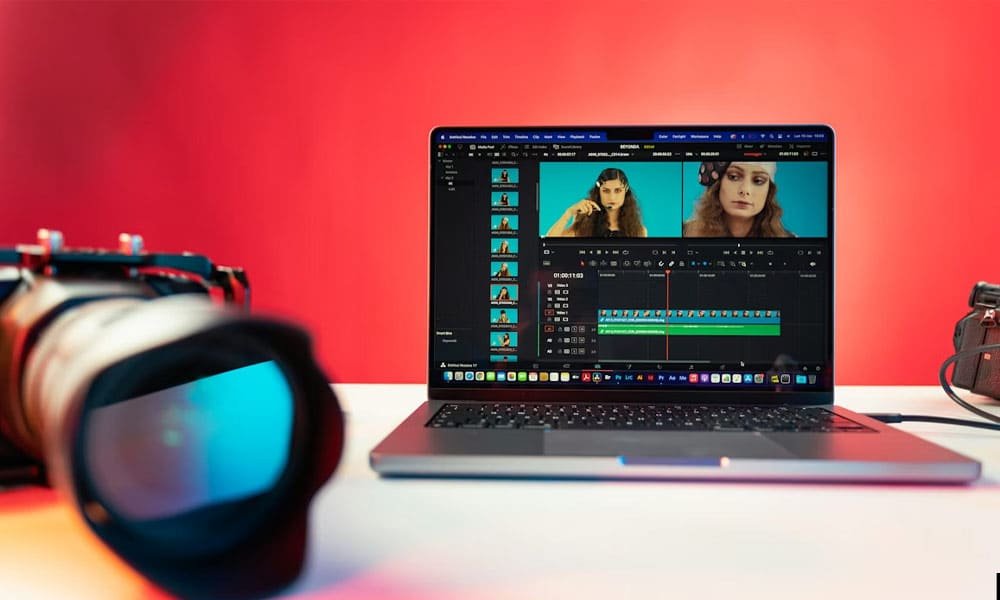
Video editing can feel scary at first. You open your editing app and suddenly there are buttons everywhere. Cut. Trim. Color. Sound. It can feel like too much. But here is the good news. You do not need fancy skills to make a video look good. You only need a few simple video editing tips and a clear plan.

In this article, I will walk you through easy and practical video editing tips that really work. These tips are friendly for beginners and helpful even if you already edit videos sometimes. We will go step by step, just like a friend guiding you. By the end, you will understand how small changes can make your videos look clean, smooth, and amazing.

Video Editing Tips: Think Before You Start Editing

Before you touch any editing software, stop for a moment. Ask yourself one simple question. What is this video about? Every good video starts with a clear idea. When you know the goal, editing becomes much easier and faster.

Think about the story you want to tell. Is the video fun, calm, or serious? Is it for social media, YouTube, or work? These small questions help you make better editing choices later. This is one of the most important video editing tips, but many people skip it.

When you plan first, you avoid stress. You know what clips you need and what you can remove. Editing feels lighter and more enjoyable. You are not guessing anymore. You are guiding your video in the right direction.

Video Editing Tips: Keep Your Clips Organized

Messy files make editing hard. Clean files make editing easy. This is a simple truth. One of the smartest video editing tips is to organize everything before you start cutting clips.

Create folders for your project. One folder for video clips. One for audio. One for music. One for final files. Rename your clips so you know what they are. A name like “interview start” is much better than “clip_0034”.

When your clips are easy to find, you save time. You also feel calmer while editing. Instead of searching and guessing, you focus on making your video better. Good organization turns a long editing job into a smooth one.

Video Editing Tips: Cut Out What You Don’t Need

This part can feel hard. You may love every clip you recorded. But not every clip helps your story. One of the best video editing tips is learning when to let go.

Watch your clips and ask a simple question. Does this help the video? If the answer is no, remove it. Shorter videos are often stronger and more fun to watch. People enjoy clear and focused content.

Do not worry if you delete a clip you worked hard to record. This happens to everyone. Good editing is about choices. When you remove weak parts, the strong parts shine even more.

Video Editing Tips: Use Simple and Clean Cuts

You do not need fancy effects to look professional. In fact, clean cuts often look better. A clean cut means going from one clip to the next without extra effects. This is one of the easiest video editing tips to apply.

If two clips are from the same scene, just place them next to each other. Let the video flow naturally. Viewers care more about the story than special effects.

Simple cuts also help your video feel calm and smooth. Too many effects can distract people. Clean edits keep attention where it should be, on your message.

Video Editing Tips: Add Smooth Transitions Only When Needed

Transitions are not bad. But using too many is a common mistake. One smart video editing tip is to use transitions only when they help the video.

If you move from one scene to a new scene, a soft transition can help. Simple fades or crossfades work best. They feel natural and easy on the eyes.

Avoid wild effects. They can feel noisy and confusing. Smooth and quiet transitions keep your video looking clean and professional, even if you are a beginner.

Video Editing Tips: Fix the Timing and Flow

Timing is how your video feels when someone watches it. Is it too fast? Too slow? Just right? One of the most helpful video editing tips is learning to control pacing.

Fast cuts create energy. Longer clips feel calm and thoughtful. Think about how you want your viewer to feel. Then adjust clip length to match that feeling.

Watch your video from start to finish. If something feels boring or rushed, adjust it. Trust your eyes and ears. When the flow feels smooth, your video becomes much more enjoyable to watch.

Video Editing Tips: Make Colors Look Natural

Colors can quietly change how a video feels. If a video is too dark, too bright, or has strange colors, people notice. One of the most useful video editing tips is to fix colors so everything looks natural and clean.

Start with simple changes. Adjust brightness so faces are clear. Fix contrast so nothing looks flat or dull. Small changes can make a big difference. You do not need strong filters or heavy color styles.

Try to keep colors consistent. If one clip looks warm and another looks cold, the video may feel uneven. Matching colors helps the video feel smooth and easy to watch.

Video Editing Tips: Make Sound Clear and Balanced

Good sound is more important than perfect video. People will forgive blurry video, but they will not enjoy bad sound. That is why this is one of the most important video editing tips.

Make sure voices are clear and easy to hear. Lower background noise if you can. Keep music softer than voices. No one wants to struggle to hear what someone is saying.

Listen to your video with headphones. This helps you catch small sound problems. Clear and balanced audio makes your video feel calm and professional.

Video Editing Tips: Add Music the Right Way

Music gives life to a video. It adds feeling and mood. But using music the wrong way can ruin a good edit. One smart video editing tip is to keep music simple and soft.

Choose music that matches the mood of your video. Happy videos need light music. Calm videos need slow music. Keep the volume low so it does not fight with voices.

Always use safe music. Free or licensed music is best. This keeps your video safe to share on social media or other platforms without problems.

Video Editing Tips: Use Text and Titles Carefully

Text can help explain things. But too much text can confuse people. One helpful video editing tip is to use text only when it adds value.

Use text to introduce a person. Use it to share a key point. Keep words short and easy to read. Simple fonts work best and feel clean.

Place text where it does not block faces or important actions. When text feels natural, it helps the viewer instead of distracting them.

Video Editing Tips: Export Your Video the Right Way

Your video is almost done, but one last step matters a lot. Exporting the video the right way is one of the final video editing tips you should never skip.

Choose the right size and format for where you will post the video. Vertical videos work best for phone apps. Wide videos work better for YouTube and websites.

Before sharing, watch the full video once more. Check sound, color, and timing. This final check helps you catch small mistakes and feel confident about your work.

Final Thoughts:

Video editing does not have to be hard. With the right video editing tips, anyone can make videos look clean and enjoyable. You do not need expensive tools or years of experience.

Focus on planning, clean cuts, good sound, and simple choices. Small improvements add up over time. Each video you edit teaches you something new.

Keep practicing. Stay patient. And most importantly, enjoy the process. The more you edit, the better your videos will look.


Continue Reading
Сollaborator

Category

Trending



