Tech
See Your Next Hairstyle Before You Commit with Kimg AI
Published
15 seconds agoon
By
IQnewswire
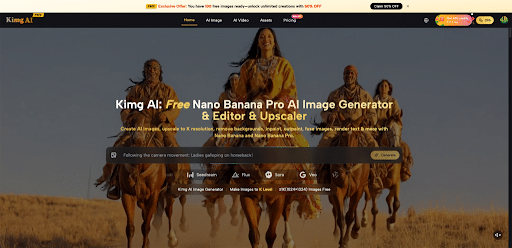
Thinking about a new haircut or color but afraid it might not suit your face or style? With Kimg AI, a simple selfie is enough to preview different looks in clear, realistic images before touching your real hair. The first step is easy: try Nano Banana Pro on Kimg AI and see how different cuts, colors, and textures might look on your own photos.
I. Why “Try Before You Dye” Is So Helpful
A hairstyle change affects confidence, daily image, and even how photos and videos turn out. Seeing the idea on a real photo removes guesswork and makes salon visits more relaxed and focused. It also helps align expectations between you and your stylist, because both of you can refer to the same visual example.
Instead of relying on pictures of other people, Kimg AI lets you see styles on your own face and hairline. This makes it easier to decide whether bangs, a shorter length, or a new color really works. You walk into the salon with a clear plan, not just a vague wish.
II. How Kimg AI Turns a Selfie into a Hair Trial
- Upload a Clear Photo for the Base Look
Hairstyle previews work best with a front‑facing photo in good light, with your face and hairline clearly visible. A clean background and natural expression help the system understand your features accurately. The more honest the photo, the more believable the hairstyle test.
Kimg AI keeps your face structure and overall identity while changing only what you ask it to change. That way, every preview still feels like you. This is crucial when you are deciding on visible changes such as length, shape, or fringe.
- Describe the Cut, Color, and Texture You Want
In the editor, you can describe your desired hairstyle in simple words: length, style, and color. For example: “chin‑length bob with soft waves,” “long layered hair with curtain bangs,” or “short copper pixie with side part.” Clear, specific descriptions tend to give better results.
Because Kimg AI supports advanced models like Nano Banana Pro, these instructions can be turned into realistic hair previews with detailed texture and natural lighting. You see not just the general shape, but how the hair sits around your jawline or shoulders. This level of detail helps you judge whether the look suits your features.
- Generate Several Versions and Compare
Most people are torn between a few options: with or without bangs, lighter or darker, shoulder length or shorter. Instead of choosing blindly, you can create several versions from the same base photo. Keeping the same pose and face makes differences in hair stand out clearly.
You can then compare them side by side or share them with friends or your stylist for feedback. This turns a stressful decision into a simple visual comparison. It also gives your stylist a strong reference for the exact result you want.
III. Why Nano Banana Pro Makes Hair Tests Look So Real
- 4K‑Level Detail for Strands and Shine
Kimg AI uses strong image models, and Nano Banana Pro is designed to produce very sharp, detailed images. Its strength is in high‑resolution results that show small details, such as individual strands, shine, and subtle texture. This makes hair previews look close to real photos rather than rough edits.
Fine detail matters when you want to judge volume, smoothness, or natural movement. With Nano Banana Pro, you can see how layers fall, how highlights catch the light, and whether the overall shape feels heavy or light around your face. That visual clarity gives you more confidence in your decision.
- Keeping Your Face Consistent Across Looks
A common problem with image tools is that your face can look slightly different in each variation. For hairstyle planning, that is not acceptable. Kimg AI is built to keep your face and key features consistent when using models like Nano Banana Pro.
This means you can change color, cut, or styling while still clearly seeing yourself in every version. Because the person stays the same, you can judge how each hairstyle changes your impression—professional, playful, soft, bold—without wondering if the face has changed too.
- From Single Photos to a Complete Style Story
Once you are happy with a hairstyle preview, it is easy to build a small series of images showing different moods with the same look. For example, you might generate a clean portrait, a more relaxed lifestyle shot, and a slightly more dramatic scene, all with the same hair.
This is especially useful if you create content or care about personal branding. A consistent face and new hairstyle can appear across profile photos, banners, or social posts. Kimg AI helps turn one idea into a coherent visual story.
IV. Using Nano Banana Pro AI Inside the Kimg AI Image Maker
- Start Your Edit in the Image Maker
To explore hairstyles step by step, you can use the image maker on Kimg AI. There, you upload a photo, enter a description of your desired changes, and choose an image model to generate results. For detailed, hair‑focused previews, Nano Banana Pro AI is an ideal choice in this flow.
The editor can handle tasks that are very useful for hairstyle testing, such as improving quality, adjusting background, or refining small details. You can fix a quick selfie, clean it up, and then apply your hairstyle prompt using Nano Banana Pro AI for a final, polished look. This lowers the barrier for people who are not professional designers.
To dive into this process and create your own hairstyle mockups, you can try Nano Banana Pro AI directly in the image maker.
- Use Multiple Reference Photos for Better Context
Sometimes one photo does not tell the full story. You might have a close‑up portrait, a half‑body shot, and a side view that together show how your hair normally looks. Kimg AI supports using more than one reference so that your character stays consistent in different images.
For hairstyle planning, this lets you test the same cut and color across different angles and lighting situations. You can see how a fringe behaves from the side or how color reads in softer or stronger light. That way, your decision is based on more realistic expectations.
- Edit Hair While Keeping the Rest of the Image
Often only the hair needs to change, while the outfit, makeup, or background already looks fine. Inside Kimg AI, you can focus on altering hair and related styling while leaving the rest of the photo as it is. This is helpful for refining portraits, campaign images, or profile photos without rebuilding the whole scene.
After finishing the hair, you can add simple text or graphics for mock ads, social posts, or presentation slides. In this way, the same edited photo can be used both to choose a hairstyle and to create finished visual material.
V. Simple Tips for Better Hairstyle Results with Kimg AI
- Use Natural, Well‑Lit Photos
Choose photos with even lighting and minimal distortion, such as shots taken near a window or in a softly lit room. This helps the system read your features accurately. Avoid heavy filters that change skin tone or face shape.
A clean, simple background also helps keep the focus on hair and face. If needed, the background can be refined inside Kimg AI before generating hairstyle variations.
- Be Clear and Detailed in Your Hairstyle Description
When describing your desired hairstyle, include length, shape, texture, and color. For example: “medium‑length layered dark brown hair with curtain bangs and soft waves” is more helpful than “new hair.” Mentioning parting or fringe type also improves results.
Adding a note about mood—such as “professional portrait,” “soft natural look,” or “fashion shot”—can guide the final image style. This makes the preview closer to how you expect to use it.
- Create a Small Set of Options and Get Feedback
Instead of relying on one image, create a small set of 3–6 variations. This could be different lengths, different fringe options, or different color tones. Save them and look again later with fresh eyes.
Share the set with a stylist or trusted friend to collect opinions. A stylist can explain which choices match your hair type and routine. Combined with your own feelings, this feedback leads to a confident final decision.
VI. Step into the Salon with Confidence, Not Doubt
Choosing a new hairstyle no longer needs to feel like gambling. By uploading real photos, describing clear hairstyle ideas, and using models like Nano Banana Pro and Nano Banana Pro AI inside Kimg AI, anyone can see convincing previews before making permanent changes. This turns bold cuts and colors into informed, relaxed choices.

See Your Next Hairstyle Before You Commit with Kimg AI
India as a Global Talent Hub: Why Multinationals Are Hiring Here First
How to Hire a Freelance Web Developer for Your Business
Buy, Rent, or Lease? A Lifecycle Checklist for Outfitting a Survey Crew
Master the Lens: Best Videography Course Guide
Start Your Career: Top Lash Tech Course Guide
AI Video Generators Empower News Videos: Efficiency Improvements Coexist With Ethical Challenges
Fake Richard Mille vs Real: What Collectors Need to Know Before Buying
Building A Continuous Risk Assessment Culture In Financial Institutions
Best No-Code AI Platform for Building Apps and Websites in 2026
Revolutionizing Healthcare: The Emergence of AI-Driven Analytics
Carol Kirkwood’s Journey: Her Real Age, Husband, Career, and More
Body Positivity and Bodycon: Embrace Your Shape with Homecoming Dresses
Aliza Barber: Meet Lance Barber’s Wife, Age, Life, Profile, Career and Net Worth
How Machine Learning and AI are Redefining the Future?
Evelyn Melendez: Jordan Knight’s Wife Bio, Marriage, Family, Career and Net Worth
Ilan Tobianah Biography: Family, Marriage, Lifestyle, Career and Net Worth
Who was Alice Marrow? Everything to Know About Ice-T’s and His Mother
King Von’s Autopsy Report: The Truth Behind the Tragic Death
Meet Otelia Cox: The Supportive Wife of Tony Cox – A True Fairy Tale Romance
See Your Next Hairstyle Before You Commit with Kimg AI

India as a Global Talent Hub: Why Multinationals Are Hiring Here First
How to Hire a Freelance Web Developer for Your Business
Buy, Rent, or Lease? A Lifecycle Checklist for Outfitting a Survey Crew
Master the Lens: Best Videography Course Guide
Start Your Career: Top Lash Tech Course Guide
AI Video Generators Empower News Videos: Efficiency Improvements Coexist With Ethical Challenges
Fake Richard Mille vs Real: What Collectors Need to Know Before Buying
Building A Continuous Risk Assessment Culture In Financial Institutions
Best No-Code AI Platform for Building Apps and Websites in 2026
Category
Trending
-
Health2 years agoRevolutionizing Healthcare: The Emergence of AI-Driven Analytics
-
News8 months agoCarol Kirkwood’s Journey: Her Real Age, Husband, Career, and More
-
Fashion2 years agoBody Positivity and Bodycon: Embrace Your Shape with Homecoming Dresses
-
Celebrity2 years agoAliza Barber: Meet Lance Barber’s Wife, Age, Life, Profile, Career and Net Worth