
Connect with us

Tech

Repair Corrupted or Broken Photos with Photo Repair Online Software

Published

on

Repair Corrupted or Broken Photos with Photo Repair Online Software
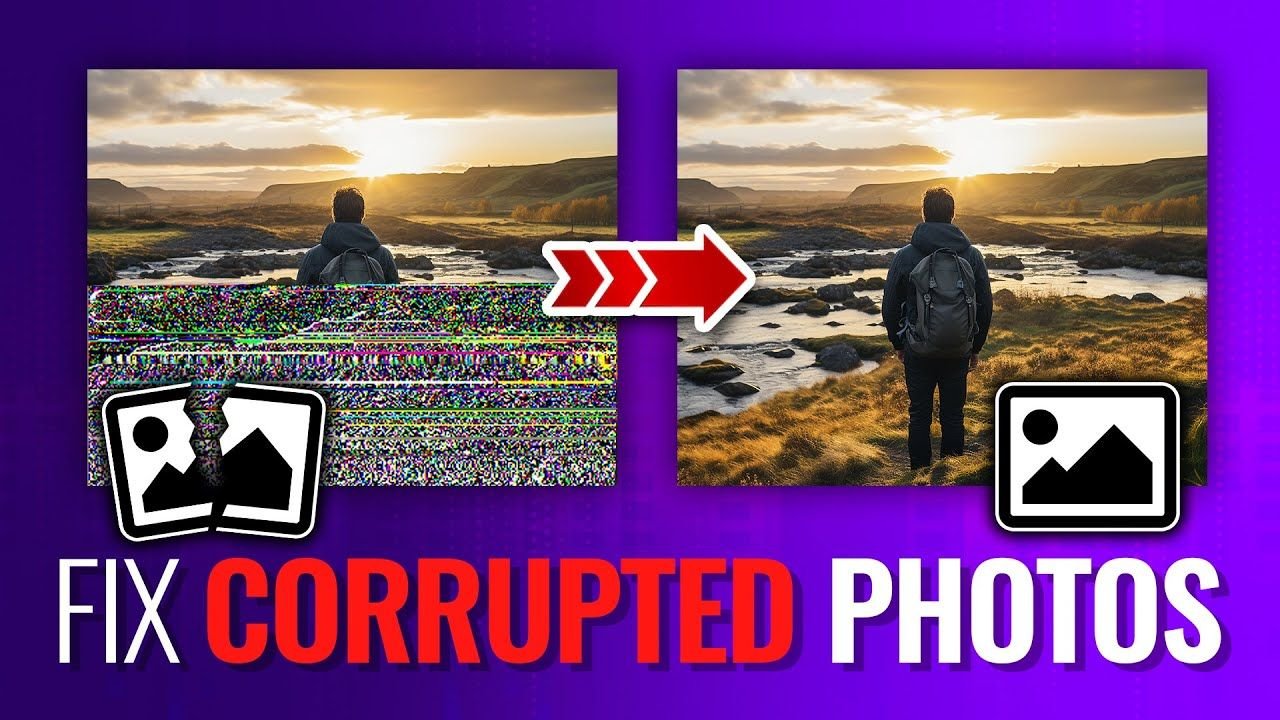
In today’s digital world, it has become very easy to save our precious memories – birthdays, weddings, family gatherings, and professional milestones – as photographs. However, sometimes you may encounter instances when your important photos get corrupted or broken. A corrupted photo can feel like losing a memory forever. Images may refuse to open, display error messages, appear pixelated, show grey or black screens, or have distorted colours. If you ever experience such instances, don’t lose hope!

Fortunately, several online photo repair methods and tools are available that you can try to repair and restore your original photos. In this article, we’ll explore different reasons why photos get corrupted, how to repair corrupted or broken photos with photo repair online software, and some preventive tips to avoid such issues in the future. Let’s get started!

Understanding Why Photos Get Corrupted

Before you apply different methods to repair corrupted or broken photos with photo repair online software, it’s important to know why corruption happens. Some main reasons why your photo may appear corrupted or broken include:

  • Sudden Power Failure: If your device shuts down unexpectedly while transferring or saving photos, the file structure may get damaged, and your photos appear damaged/distorted.
  • Improper File Transfer: Interrupting file transfers between the camera, PC, or external storage devices can result in incomplete or corrupted images.
  • Virus or Malware Attacks: Malicious software like viruses and malware, when it infects your computer or memory card, can corrupt image files stored on it.
  • Bad Sectors: If your storage device develops bad sectors due to continuous usage for a long time, image files stored there can become unreadable.
  • Software Crashes: Editing tools or photo viewers crashing during editing or saving can damage the file.

Common Signs of Corrupted or Broken Photos

Irrespective of the above reasons for your corrupt photos, there are several photo repair fixes available online that you can try to fix them. If you’re unsure where your photos are really corrupt, you may check for the following symptoms:

  • The image won’t open at all.
  • You’ll get an “Invalid Image Format” error.
  • The photo displays only half or partial images.
  • The image appears pixelated or distorted.
  • The file shows a grey or black screen.

If you notice any of these issues, your image is likely corrupted — and you need a reliable photo repair solution.

How to Repair Corrupted or Broken Photos Online?

When you find your photos corrupted, damaged, distorted, or broken, it’s important to immediately proceed with the adequate photo repair workarounds. You can perform photo repair either by using traditional methods like installing heavy desktop applications or rely on advanced options like online photo repair software tools. Repairing photos using desktop programs can often be time-consuming and expensive.

In contrast, online photo repair software offers a simpler, faster, and more accessible solution. Tools like Stellar Repair for Photo Online are especially designed to repair photos corrupt or damaged due to several reasons, including header damage, improper transfers, malware attacks, faulty storage devices, bad sectors, or software crashes. This online photo repair software thoroughly scans your damaged image files to detect and fix corruption with precision and accuracy.

Key Features of Stellar Repair for Photo Online

Among several online tools available on the internet, the Stellar Repair for Photo Online is known for some amazing features, such as:

  • Repairs Severely Corrupted Photos: Whether your photo is partially visible, completely unreadable, or distorted, Stellar’s advanced repair engine can reconstruct damaged image data.
  • Restores Colour Distortion: If your photo shows abnormal colours or faded areas, the Stellar Photo Repair tool can easily fix colour inconsistencies.
  • Repairs Header Corruption: Most corrupted photos suffer from damaged headers. This tool efficiently rebuilds file headers.
  • Safe and Secure: Since it is cloud-based, your files are processed securely. Stellar ensures data privacy and secure upload.
  • Simple Repair Process: This online photo repair software offers a user-friendly interface that can help anyone to repair photos in just a few clicks.

Quick Steps to Repair Corrupted Photos Using Stellar Repair for Photo Online

Repairing corrupted or broken photos on your PC using the Stellar Repair for Photo Online tool is quite simple and straightforward. All you have to do is:

Step 1: Open a web browser on your PC and visit the Stellar Repair for Photo Online page. Click Upload Photos to upload the corrupted photos you want to repair.

Step 2: After uploading, click Start Repair and wait till the tool analyses and repairs the image using advanced algorithms.

Step 3: Once repaired, click Download All Photos to save the repaired photos to your device.

That’s it! The entire process takes only a few minutes.

Preventing Photo Corruption in the Future

It is very easy to repair corrupted or broken photos with photo repair online software, but try to avoid such corruption issues from your end. Here are some tips to avoid future photo corruption:

  • Always safely eject storage devices to prevent file system corruption and avoid damaging stored photos or data.
  • Install reliable antivirus software on your PC to protect your photos from malware or virus attacks.
  • Avoid using faulty or low-quality SD cards, as damaged storage media commonly causes photo corruption.
  • Keep multiple copies of important images across different storage devices for better safety and recovery options.

Even with precautions, corruption can still occur — and that’s when Stellar Repair for Photo Online becomes your reliable rescue solution.

Wrapping Up

Losing access to your important photos can be distressing. Whatever is the reason for your corrupted images, there are several photo repair workarounds available to restore your photos. With advanced photo repair online software, you can restore broken, distorted, or unreadable images in just a few clicks. Stellar Repair for Photo Online provides a secure, efficient, and professional solution to fix damaged photos without technical complexity. If you ever find your photos damaged or corrupt, try repairing them in three simple clicks using this amazing tool. Simply upload your damaged image, preview the repaired version, and recover your cherished memories effortlessly. Your memories deserve restoration — and Stellar makes it possible.

Frequently Asked Questions (FAQs)


Can I fix corrupted photos online?


Yes, you can use advanced online photo repair tools like Stellar Repair for Photo Online to fix damaged image files directly through your web browser.


What image formats can be repaired using online photo repair software?


Professional tools like Stellar Repair for Photo Online support popular formats such as JPEG, JPG, PNG, TIFF, and various RAW camera image formats.


How long does it take to repair a corrupted photo online?


The repair process usually takes only a few minutes, depending on file size and level of corruption.


Continue Reading
Сollaborator

Category

Trending



