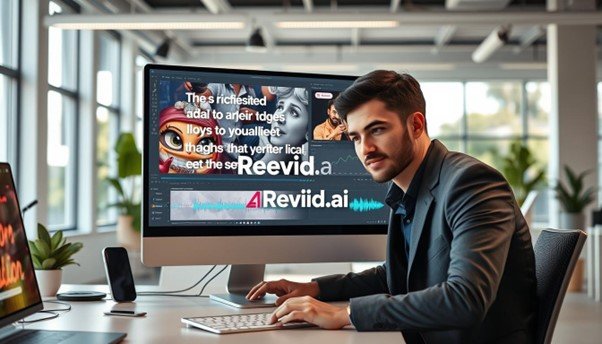
Creating music visuals is now easier and cheaper thanks to AI technology. AI lets you make content that enhances the viewer’s experience. It syncs song lyrics with music and visuals, making it very popular.
Learn how to create engaging music visuals using AI technology.
Discover the benefits of synchronizing song lyrics with music and visuals.
Explore various tools and techniques for producing high-quality videos.
Understand how to use AI lyric video makers and AI music video generators.
Gain the knowledge to produce captivating music videos.
Introduction to AI Lyric Video Makers
AI lyric video makers are changing how we see music. They help artists make catchy lyric videos easily. These tools use artificial intelligence to make video creation simple, from visuals to music sync.
What is an AI Lyric Video Maker?
An AI lyric video maker is software that uses artificial intelligence to make lyric videos. It automates making music, visuals, and captions. This means you can make professional-looking videos without being a video editing expert.
First, you upload your audio and enter the lyrics. The AI then makes a video that matches the music. It adds automated text overlay and dynamic visuals that match the song’s mood.
Benefits of Using AI for Lyric Videos
AI lyric video makers have many benefits. They save time and effort, making high-quality videos easier. They also let you customize your video to fit your style. Plus, they come with pre-designed templates and animation effects to make your video look great.
Feature
Description
Benefit
Automated Video Generation
AI generates video content based on the input audio and lyrics.
Saves time and effort in video production.
Customization Options
Users can choose from various templates, fonts, and colors.
Allows for personalization to fit brand or artistic identity.
Text Overlay
Lyrics are displayed in a synchronized and visually appealing manner.
Enhances viewer engagement with dynamic text animation.
AI technology is making it easier for musicians and marketers to create engaging lyric videos. It’s changing the music industry, making it more accessible and efficient for creators to produce great content.
Key Features of AI Lyric Video Makers
AI has changed how we make lyric videos, making them more creative and personal. These tools are key for artists and marketers. They make music videos more engaging.
Customization Options
AI lyric video makers offer lots of ways to customize. For example, HeyGen lets you pick the best video size for where you’ll share it. This makes sure your video looks great on different platforms.
Typography and Design Choices are also important. These tools let you pick from many text styles, fonts, and colors. This helps match the video’s look with the song’s mood.
Animation Capabilities
AI lyric video makers can create cool animations that match the music. These animations can be simple or complex. They make the video more fun to watch.
“The use of AI in creating lyric videos has transformed the way we engage with music. It’s not just about displaying the lyrics; it’s about creating an immersive experience that complements the song.”
Sound Synchronization
Getting the lyrics to match the music is key. AI lyric video makers do this well, saving time and effort. They use smart algorithms to get it right.
Feature
Description
Benefit
Customization Options
Aspect ratio selection, typography, and design choices
Personalized video that matches the artist’s brand
Animation Capabilities
Dynamic animations synchronized with music
Enhanced visual engagement and viewer retention
Sound Synchronization
Automatic synchronization of lyrics with audio
Accurate timing without manual effort
These features help creators make great lyric videos. They grab the audience’s attention and boost the artist’s image. AI lyric video makers are essential for making engaging content.
Popular AI Lyric Video Maker Tools
The rise of AI lyric video makers has made creating high-quality lyric videos easier. These tools offer various features to meet different needs and preferences.
Wave.video
Wave.video is a favorite among creators for its easy-to-use interface and many customization options. It lets users make engaging lyric videos with different templates, animations, and text styles.
Animaker
Animaker is known for its advanced animation features, perfect for lively lyric videos. It has a huge library of assets and easy editing tools, helping users make professional videos.
InVideo
InVideo is praised for its flexibility and simplicity. It has many templates and customization options, making it easy to create top-notch lyric videos.
Tools like Zebracat also bring new ideas, like automatically creating captions, visuals, and voiceovers. This makes making lyric videos even simpler.
When picking an AI lyric video maker, think about what each tool offers. Choose the one that fits your needs best.
Setting Up Your First AI Lyric Video
Creating your first AI lyric video is easy. Start by collecting your song’s lyrics and MP3 file. You can find lyrics on sites like LyricsMode and AZLyrics if you need them.
Choosing the Right Tool
Picking the right AI lyric video maker is key. Look at tools like Wave.video, Animaker, and InVideo. They have features for all needs. Think about how much customization you want, like custom lyric visuals and animated text videos.
Tool
Customization Options
Animation Capabilities
Wave.video
High
Varied animations
Animaker
Medium to High
Advanced animations
InVideo
Medium
Template-based animations
Importing Your Audio Track
After picking your tool, import your audio. Most platforms let you upload your MP3 file. Make sure your audio is high quality for the best results.
“The quality of your audio file significantly impacts the overall production of your lyric video.” – Audio Production Expert
Adding Lyrics to Your Video
Next, add your lyrics. Type or paste them into the tool’s text area. Many tools help synchronize the lyrics with the music, making your video more engaging.
By following these steps, you can make a great lyric video. Try different tools and features to see what fits your music best.
Understanding the User Interface
Getting to know the user interface of AI lyric video makers is key to making great lyric videos. Platforms like HeyGen are designed to be easy to use. This makes creating your video smooth and fun.
Experts say a good user interface makes video making better. “A good UI is like a good assistant – it helps you get the job done efficiently,” a UI/UX design expert points out.
“A good UI is like a good assistant – it helps you get the job done efficiently.”
UI/UX Design Specialist
Navigating the Dashboard
The dashboard is the main part of your AI lyric video maker. It’s where you find all the tools and features. You can upload your audio, add lyrics, and change the video’s look here.
Key Features of the Dashboard:
Audio Track Upload
Lyrics Editor
Template and Theme Selection
Customization Options
Using Templates and Themes
Templates and themes help your lyric video look professional. They’re great for beginners who are new to the platform.
Template Type
Description
Customization Options
Modern Minimalist
Simple, clean design focusing on the lyrics
Font, Color, Background
Vibrant Animated
Colorful, animated elements to enhance engagement
Animation Style, Color Palette
By using the user interface well, you can make text overlay videos that grab your audience’s attention. Try out different templates and options to find the perfect fit for your brand or message.
Customizing Your Video’s Aesthetics
Making a lyric video that looks good involves several key steps. Artists can make their video their own by choosing the right style and music.
Selecting Fonts and Colors
The right typography and color scheme set the mood of your video. Typography video AI tools let you pick from many fonts. For example, bold fonts are great for lively songs, while elegant scripts work well for sad ones.
Colors are also important. Bright colors grab your attention, while soft colors create a calm feel. HeyGen offers many font styles and color options for your video.
Adding Backgrounds and Images
Backgrounds and images let you add more to your video. HeyGen lets you pick from solid colors, images, or videos. This way, you can match the visuals with your song’s mood. For instance, a peaceful scene fits a slow song, while a busy city fits an upbeat one.
Make sure the backgrounds and images don’t take over the lyrics. You want everything to work together well.
Incorporating Animated Elements
Animated parts can make your video look even better. Custom lyric visuals come alive with animations that match the music. You can use simple or complex animations, depending on your tool and vision.
Think about your song’s rhythm when adding animations. Tools like Animaker and InVideo have many templates and options to help you get the look you want.
Timing and Synchronization Techniques
To make a great lyric video, you need to get timing and sync right. Making sure the lyrics match the music beats makes the video more engaging.
Aligning Lyrics with Music Beats
Getting the lyrics to match the music beats is key. HeyGen makes it easy to adjust the timing. This ensures your video looks and sounds good together.
Tools for Precise Timing
Choosing the right tools is crucial for precise timing. Some top lyric syncing tools are:
video
Animaker
InVideo
These tools have features that help sync lyrics with music. This makes the process smoother.
Tool
Key Feature
User Rating
Wave.video
Automated lyric syncing
4.5/5
Animaker
Customizable templates
4.2/5
InVideo
Advanced text animation
4.8/5
Using these tools and methods, creators can make top-notch lyric videos. These videos will connect well with their audience.
Enhancing Your Video with Effects
Effects like transitions, animations, filters, and overlays can make your lyric video better. They make it more fun for viewers to watch.
Adding Transitions and Animations
Transitions and animations are key for a lively animated text video. They keep viewers interested by adding a touch of class.
HeyGen is a tool that lets you add cool transition effects. You can also use animations to make your text pop, like fading it in or sliding it into view.
Using Filters and Overlays
Filters and overlays can really boost your text overlay video‘s look. Filters change the mood, and overlays add cool stuff like textures or graphics.
Think about the mood you want to set with filters. A warm filter can make things feel cozy, while a cool filter can make it modern. Overlays can add depth, like a background texture.
Effect Type
Description
Example Use Case
Transitions
Effects used to move from one scene to another
Fade in/out, Slide left/right
Animations
Effects used to animate text or objects
Fade in text, Animated logos
Filters
Effects used to change the color tone or mood
Warm filter for a cozy feel, Cool filter for a modern look
Overlays
Additional elements added on top of the video
Textures, Graphics, Additional text layers
Using these effects can make your lyric video more engaging and professional. It will grab your audience’s attention.
Exporting Your Final Lyric Video
After you’ve made your lyric video with a song lyric generator, it’s time to export it. This step makes sure your video is ready for sharing on different platforms.
Before you export, check your video to make sure everything looks right. Tools like HeyGen can help you preview and tweak your video if needed.
Choosing the Right Format
Picking the right video format is key for both quality and compatibility. Formats like MP4, AVI, and MOV are common. Think about where you’ll upload your video and pick a format that fits their needs.
Platform
Recommended Format
Resolution
YouTube
MP4
1080p
Instagram
MP4
1080p
Facebook
MP4
1080p or 720p
Optimizing Video for Social Media
Optimizing your video for social media is more than just the format. Think about the aspect ratio, resolution, and length. This ensures your video works well on different platforms.
Use a 1:1 or 9:16 aspect ratio for Instagram and Facebook.
Keep your video short, ideally under 4 minutes.
Add captions or subtitles to boost engagement.
By following these tips and using an AI music video generator, you can make a top-notch lyric video. It will connect with your audience on various social media sites.
Sharing Your Lyric Video
After making your lyric video, it’s time to share it. Social media offers many places to show off your custom visuals.
Best Platforms for Sharing
Choosing the right platform is key. Each one attracts different people. Here are some top picks:
YouTube: Best for longer videos and a huge audience.
Instagram: Ideal for short, eye-catching videos. Use IGTV for longer ones or Reels for brief clips.
TikTok: Great for short, catchy videos that can spread fast.
Facebook: Works for both short and long videos, with options for ads.
Match your video to the platform for better results. Vertical videos work well on Instagram and TikTok.
Engaging Your Audience
Getting your audience involved is key to your video’s success. Here are ways to boost engagement:
Strategy
Description
Benefit
Ask for Feedback
Get viewers to comment on your video.
Boosts interaction and creates a community.
Use Captions
Add captions for better accessibility.
Improves viewer experience and expands reach.
Promote on Social Media
Share your video on various platforms.
Increases visibility and drives traffic.
By sharing on the right platforms and engaging with your audience, you can make your video more impactful. This way, you can reach more people.
Tips for Creating Engaging Lyric Videos
To make a great lyric video, you must know your audience well. You also need to understand the message you want to share. Several key factors can make your video both captivating and memorable.
Understanding Your Audience
Knowing your audience is key. Look at comments on similar videos to learn what they like and what they don’t. This feedback helps you make your video just right for them.
For example, comments can show what colors, fonts, or animations your audience prefers. Using these elements can make your video more engaging and relatable.
Using Eye-Catching Visuals
Eye-catching visuals are essential to grab your audience’s attention. AI lyric video makers provide many options, like different fonts, colors, and animations. These tools help you make videos that look great.
Adding high-quality images, bright colors, and creative typography can make your video pop. Try out different visuals to find the best mix that connects with your audience.
Storytelling Through Lyrics
Storytelling through lyrics is a powerful way to engage your audience. By understanding the lyrics and the emotions they convey, you can connect with your viewers on a deeper level.
By combining visuals and storytelling, you can make the lyrics come alive. This approach makes your video more relatable and impactful, leaving a lasting impression on your audience.
Understanding Copyright and Licensing
Copyright and licensing are key for anyone making lyric videos with lyric syncing tools. You must get the right permissions or licenses to avoid legal trouble.
Using automated lyric video software means knowing the legal side of using copyrighted music. This knowledge helps creators deal with the complex world of music licensing.
Fair Use in Music Videos
Fair use lets you use copyrighted material without permission, but it’s tricky in music videos. It depends on the situation.
Using it for free is more likely to be fair use.
The use’s purpose and character matter, like if it’s educational.
How much you use compared to the whole work is also important.
Licensing Music for Commercial Use
For commercial use, you need a license. This means getting permission from the copyright holder or a licensing agency. It’s a detailed process, covering different rights.
To license music, creators should:
Find the copyright holder or licensing agency.
Talk about the license terms and fee.
Make sure the license is for the use you plan, like on certain platforms.
Creators using automated lyric video tools must understand and follow copyright and licensing rules. This way, they can legally use copyrighted material and avoid legal problems.
Troubleshooting Common Issues
AI lyric video makers make creating videos easier. But, some problems can still pop up. Knowing how to solve these issues can save you time and make the process smoother.
Audio Sync Problems
One big issue is when the audio and lyrics don’t match up. This might be because of wrong timing settings or audio tracks that aren’t aligned. Most AI lyric video makers have tools to help you fix this. For example, you can use the Wave.video tool to adjust the timing between your audio and text overlay video.
“A great lyric video needs perfect timing between the lyrics and the music,” says a seasoned video producer. “Timing is everything.”
Formatting Errors
Formatting errors can happen when the text or background looks wrong. This might be because of fonts or colors that don’t work together. To fix this, try changing the font or adjusting the colors. Most AI tools, like Animaker, offer many options for customizing your animated text video.
Check if the font works well with your background.
Change the color scheme to make things clearer.
Use colors that contrast well for better reading.
By tackling these common problems, you can make a professional-looking lyric video. The aim is to add to the music with your visuals, not take away from it.
The Future of AI in Video Production
AI is changing video production, offering new chances for artists and producers. As tech gets better, the music world is set for a big change.
AI music video generators are now a big deal. They help artists make great music videos easily. For example, AI can make lyric videos that look good and grab your attention.
Emerging Technologies
New tech is shaping AI in video production. These include:
Advanced animation that fits right into video making.
Better sound syncing for perfect audio and video.
More ways to customize, giving artists more control.
As noted by industry expert,
“AI is not just a tool, it’s a collaborator that can enhance the creative process.” –
John Doe, AI Music Producer
Potential for Growth in the Music Industry
AI could really grow the music industry. With song lyric generators, artists can make pro-looking lyric videos. This can help them reach more people. Here are some benefits:
Benefit
Description
Increased Efficiency
AI tools make video making faster and easier.
Enhanced Creativity
AI can create cool, new visual effects.
Better Engagement
AI videos can match what people like, making them more engaging.
As AI gets better, we’ll see more advanced AI music video generators and song lyric generators. These tools will make video making easier and open up new creative paths for artists.
The future of AI in video production looks bright. New tech is set to change the music industry. As creators use AI, we’ll see more cool and engaging videos that people love all over the world.
Case Studies: Successful Lyric Videos
To see what makes a lyric video hit, we look at top examples. These examples teach us how to grab our audience’s attention.
Analyzing Popular Examples
Hit lyric videos often have custom lyric visuals that boost the song’s story and feel. For example, a famous artist might use a karaoke video maker to make a video that fans love.
Let’s check out a few examples:
A famous pop star mixed animations and real footage for a catchy video.
An indie band went for a simple design, focusing on the lyrics and a clean look.
A hip-hop artist used cool transitions and bold text to make their video pop.
What Works and What Doesn’t
Looking at these examples, we see what makes them great. Engaging visuals, precise timing, and knowing your audience are key.
Element
Effective Approach
Less Effective Approach
Visuals
Custom, engaging graphics
Generic, unedited footage
Timing
Precise synchronization with the music
Out-of-sync lyrics
By knowing what works and what doesn’t, creators can make better lyric videos that grab their audience’s attention.
Conclusion and Next Steps
Creating engaging lyric videos is now easier with AI lyric video makers. These tools make it simple for artists and marketers to make high-quality videos. They automate the process, saving time and effort.
Key Techniques Recap
A successful lyric video needs customization, timing, and synchronization. Choosing the right fonts, colors, and backgrounds makes it visually appealing. Wave.video, Animaker, and InVideo offer many templates and themes to help you.
Experimenting with AI Lyric Video Makers
Now, it’s time to try out AI lyric video makers. Experiment with different templates, animations, and effects. The more you try, the more you’ll see what these tools can do.
FAQ
What is an AI lyric video maker, and how does it work?
An AI lyric video maker uses artificial intelligence to create videos. It combines lyrics with music and visuals. This makes it easy to make professional-looking videos without needing to know a lot about video editing.
What are the benefits of using AI for creating lyric videos?
Using AI for lyric videos is easy and customizable. It helps you make high-quality videos fast. You can also add animations, sync sounds, and choose from many templates.
Can I customize the aesthetics of my lyric video using AI lyric video makers?
Yes, you can customize your lyric video a lot. You can pick fonts, colors, and add backgrounds and images. You can also add animations to make it unique.
How do I ensure that my lyrics are properly synchronized with the music?
To sync your lyrics with music, use tools with precise timing. Some AI makers can sync your lyrics automatically. This makes it easier to match your lyrics with the music.
What are some popular AI lyric video maker tools available?
Popular tools include Wave.video, Animaker, and InVideo. Each has its own features and benefits. They cater to different needs and tastes.
How do I choose the right AI lyric video maker tool for my needs?
Think about what you need, like customization and animations. Also, consider how easy it is to use. Look at the prices and features to find the best tool for you.
Can I use copyrighted music in my lyric video, and what are the implications?
Using copyrighted music might need licenses or permissions. It’s important to know the laws and requirements. This helps avoid legal problems.
How can I troubleshoot common issues that arise when creating lyric videos?
For problems like audio sync or formatting, check the tool’s settings. Adjust the timing and make sure files are compatible. The tool’s help resources can also guide you.
What are some tips for creating engaging lyric videos?
To make engaging videos, know your audience and use catchy visuals. Tell a story with your lyrics. Try different styles and effects to stand out.
What is the future of AI in video production, and how will it impact the music industry?
AI in video production is exciting, with new tech and AI advancements. It will change the music industry a lot. AI will help creators make better videos faster.